Main Menu
The main menu is the central starting point for navigating and managing your data in Upkeep Solution.
Data Hierarchy
Upkeep Solution organizes data in a clear hierarchy:
Company > Property > Matrix / Test / Document
- A company contains one or more properties (buildings, estates)
- Each property can contain multiple matrices, tests, and documents
Tree Navigation and Overview
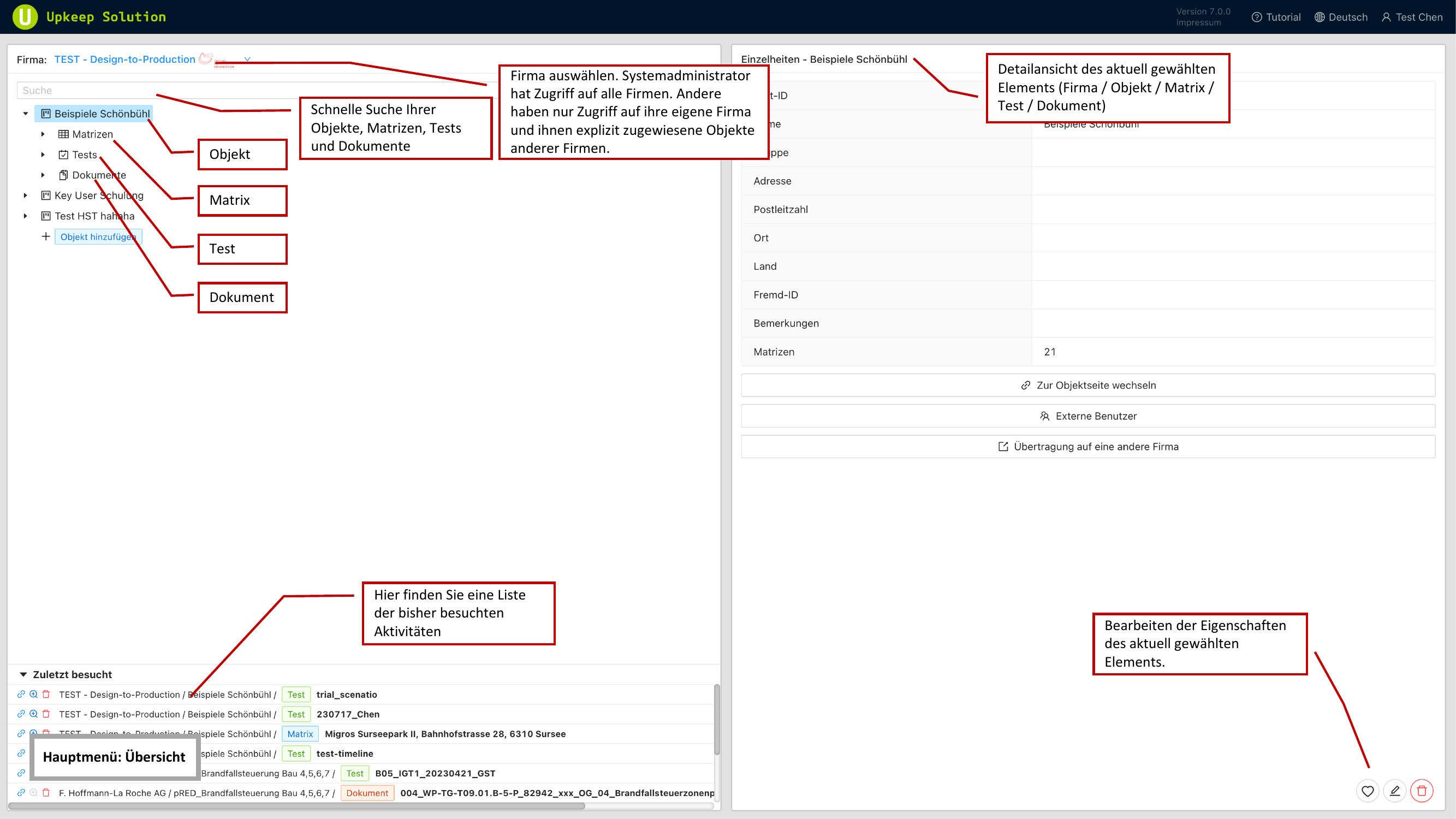
The main menu consists of the following areas:
- Baumnavigation (Tree Navigation, left) — Displays all companies and properties in a collapsible tree structure
- Schnellsuche (Quick Search) — A search field above the tree structure for quickly finding companies and properties by name
- Detailbereich (Detail Panel, right) — Shows information and actions for the selected item
- Zuletzt besucht (Recently Visited) — A list of recently opened properties for quick access
Editing a Company
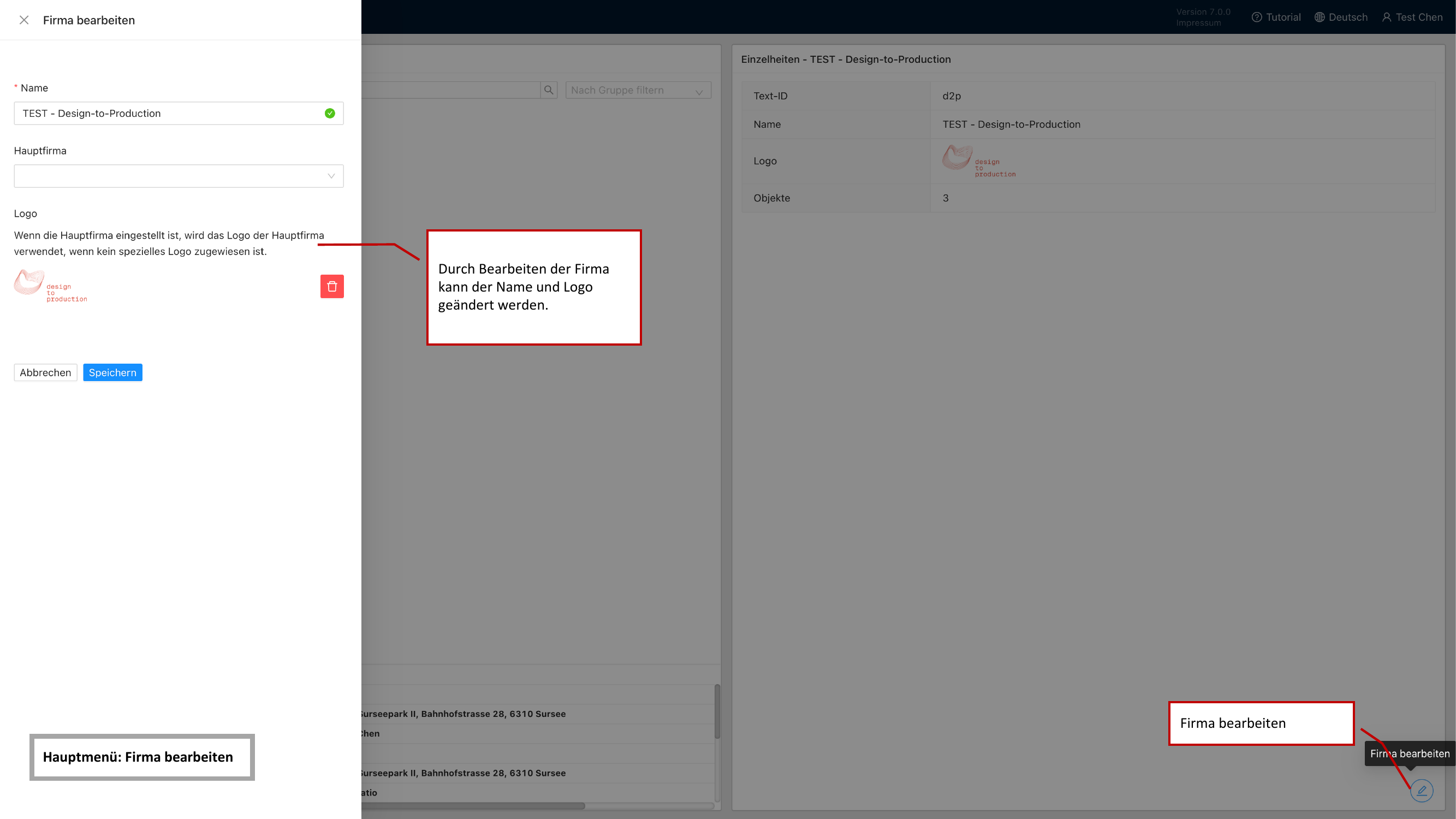
Select a company in the tree navigation to display its details in the right panel. Here you can:
- Change the company name
- Upload or replace a company logo
Editing company data requires the role Firmenadministrator (Company Admin) or higher.
Editing a Property
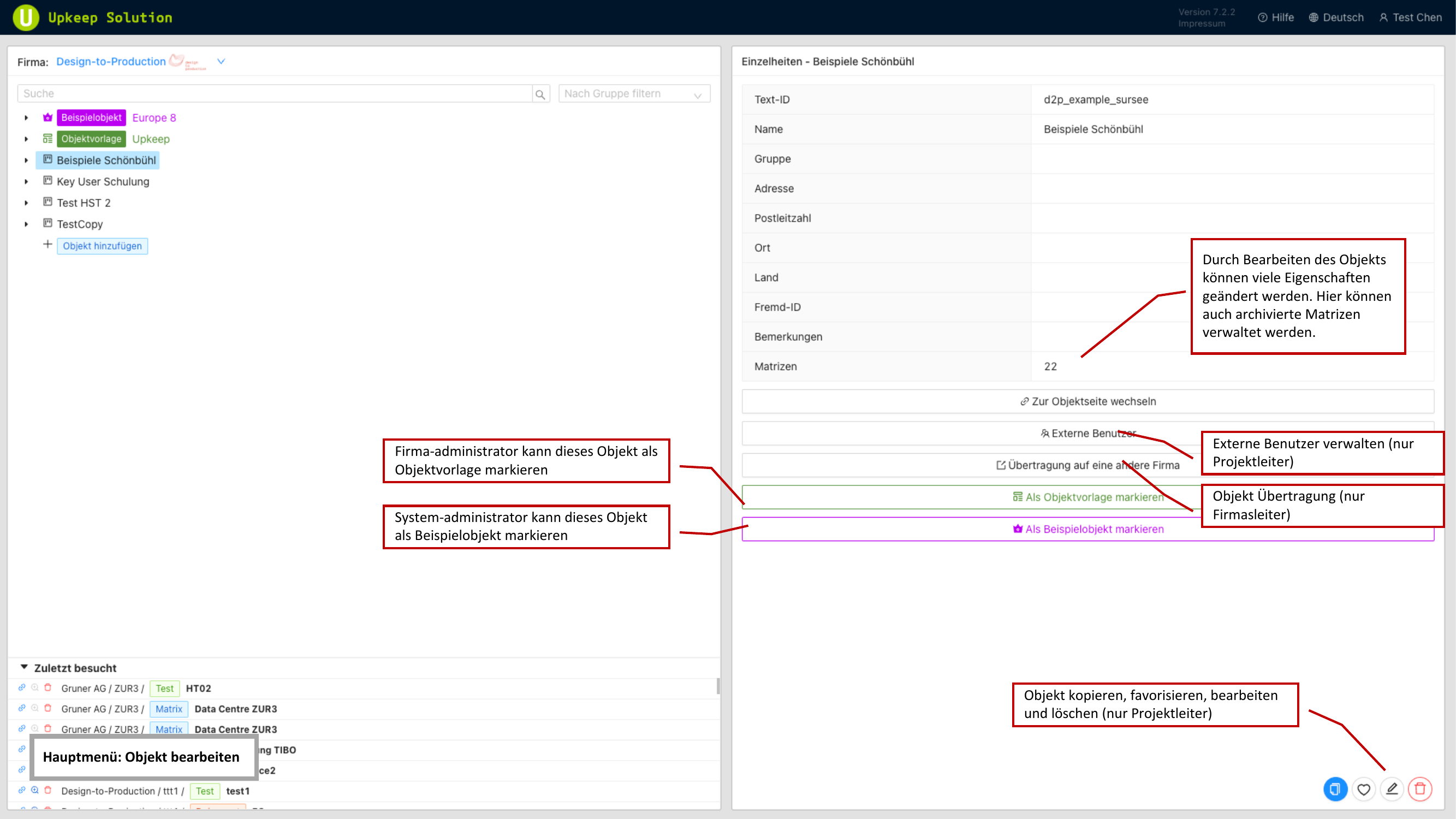
Select a property to manage its settings. The following functions are available in the detail panel:
- Eigenschaften (Properties) — Edit name, address, and other master data of the property
- Gruppen (Groups) — Assign the property to one or more groups
- Externe Benutzer (External Users) — Manage external testers and editors
- Verschieben (Move) — Move the property to a different company
- Vorlagen (Templates) — Manage templates for matrices and inspections
Property Groups
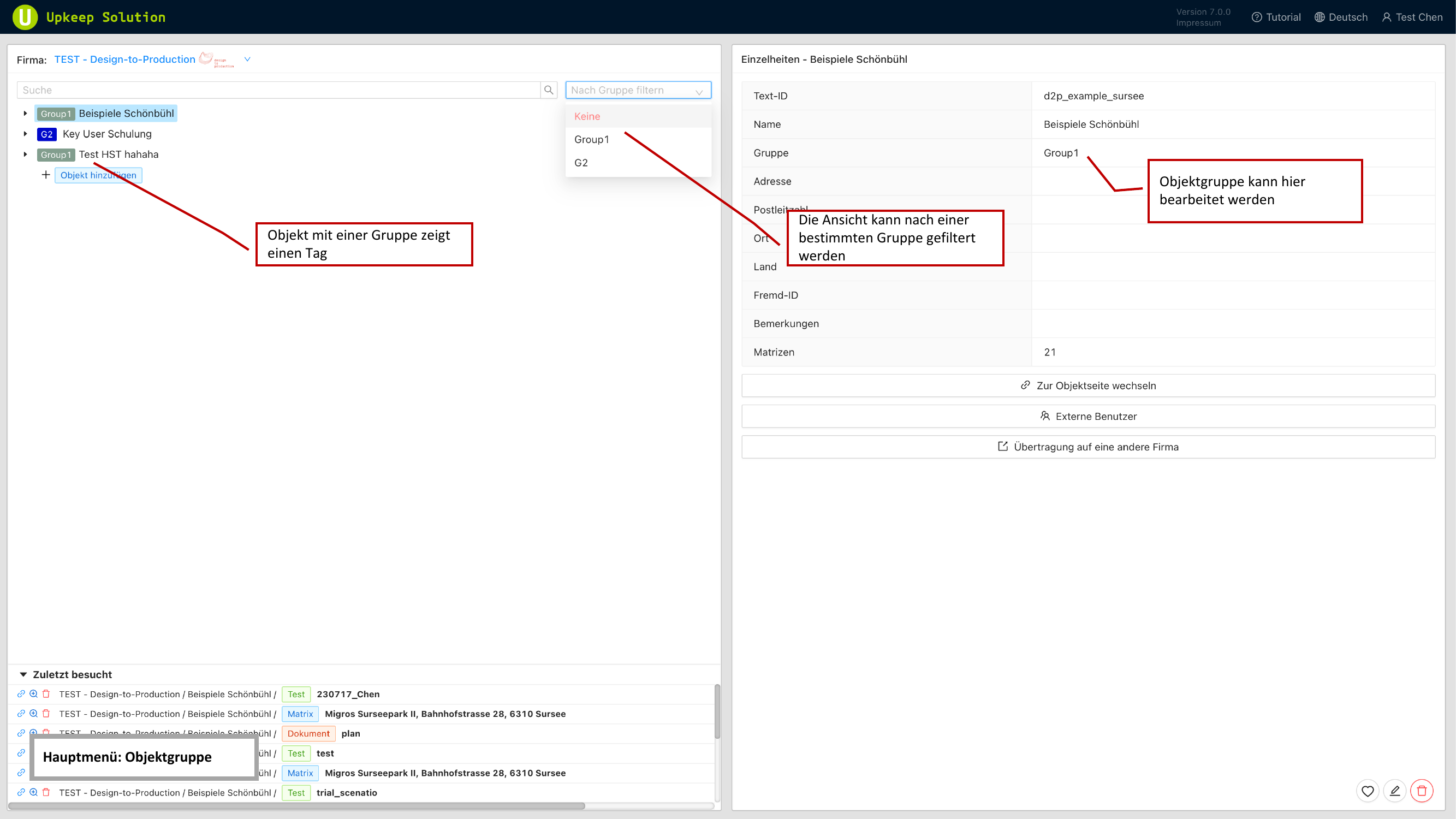
Groups allow you to categorize and filter properties. They function like tags:
- Create any number of groups per company
- Assign a property to one or more groups
- Filter the tree navigation by groups to quickly find relevant properties
Groups are particularly useful for organizing properties by region, building type, or responsibility.
External Users
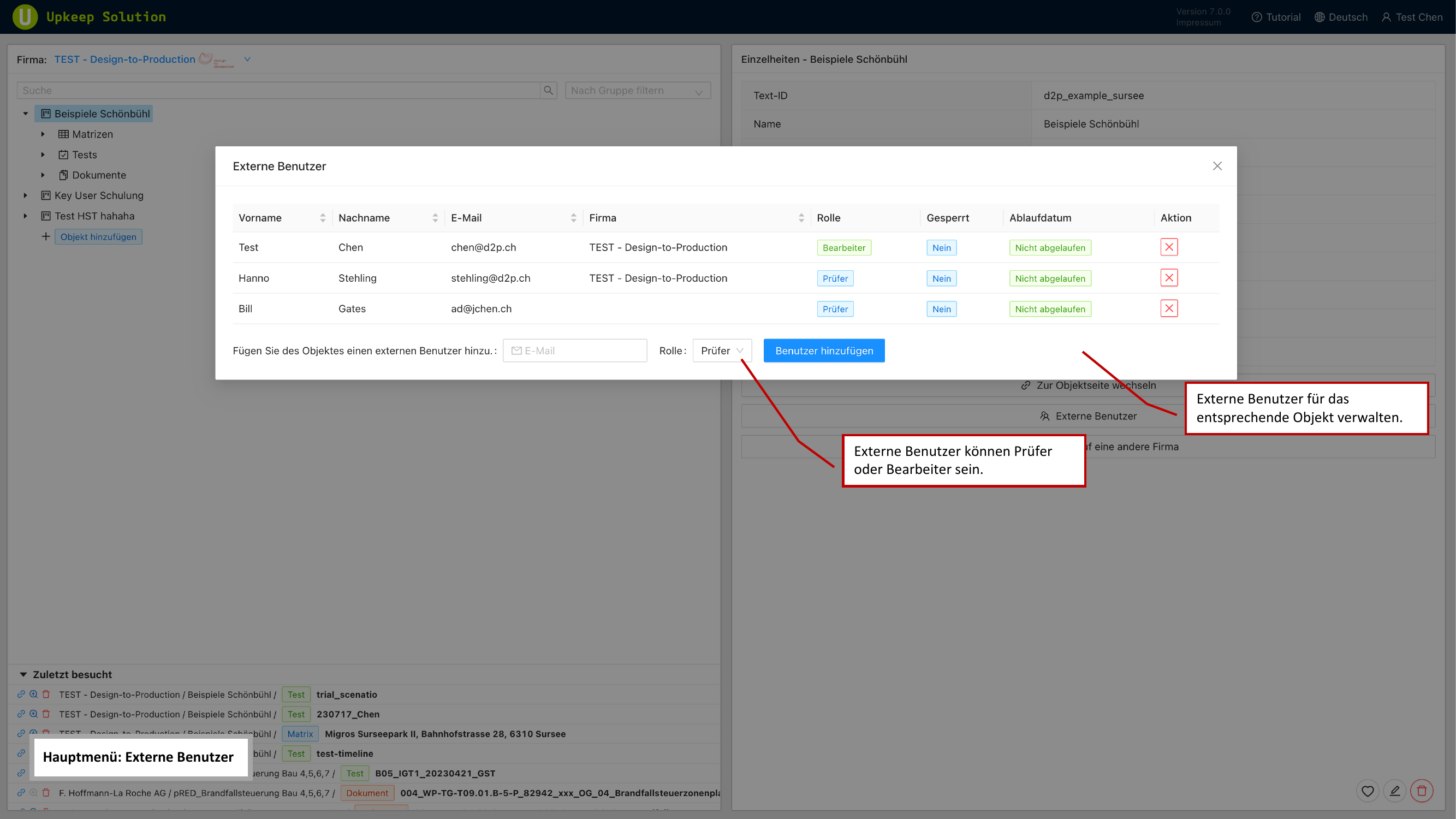
External users are people outside your company who need access to specific properties. You can assign the following roles to external users:
- Tester — Can perform inspections on the mobile app
- Bearbeiter (Editor) — Can also edit matrices and elements
To manage external users:
- Open the desired property
- Navigate to the Externe Benutzer (External Users) section
- Click Benutzer hinzufügen (Add User) to invite a new external user
- Select the desired role
External users only have access to the properties they have been explicitly assigned to — not to the entire company.
Matrix Management
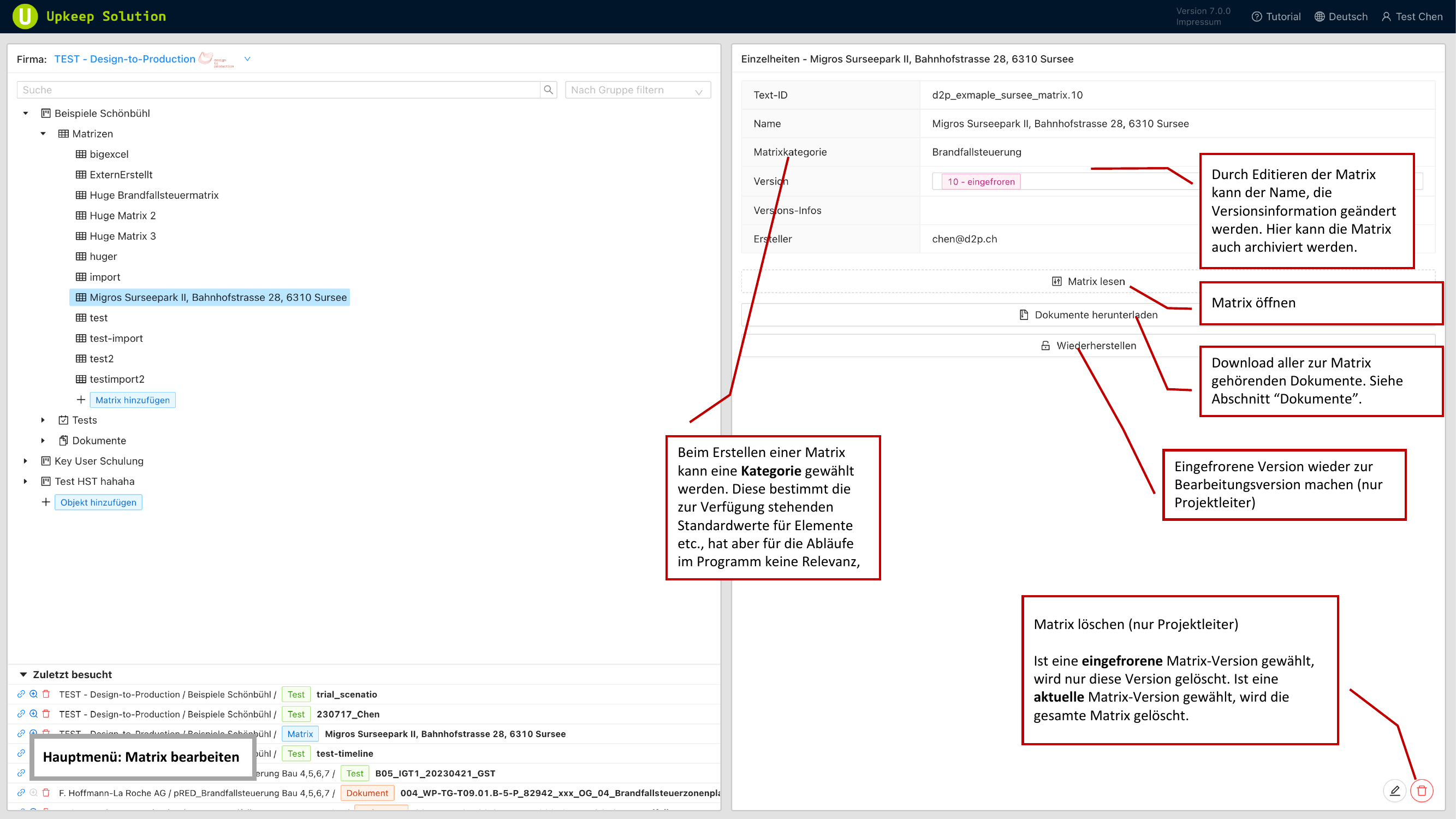
Matrices are the core of Upkeep Solution. They contain all fire protection elements of a property along with their requirements and status.
Versioning
Matrices support versioning with two states:
- Aktuell (Current) — The active, editable version of the matrix
- Eingefroren (Frozen) — A locked version that can no longer be modified
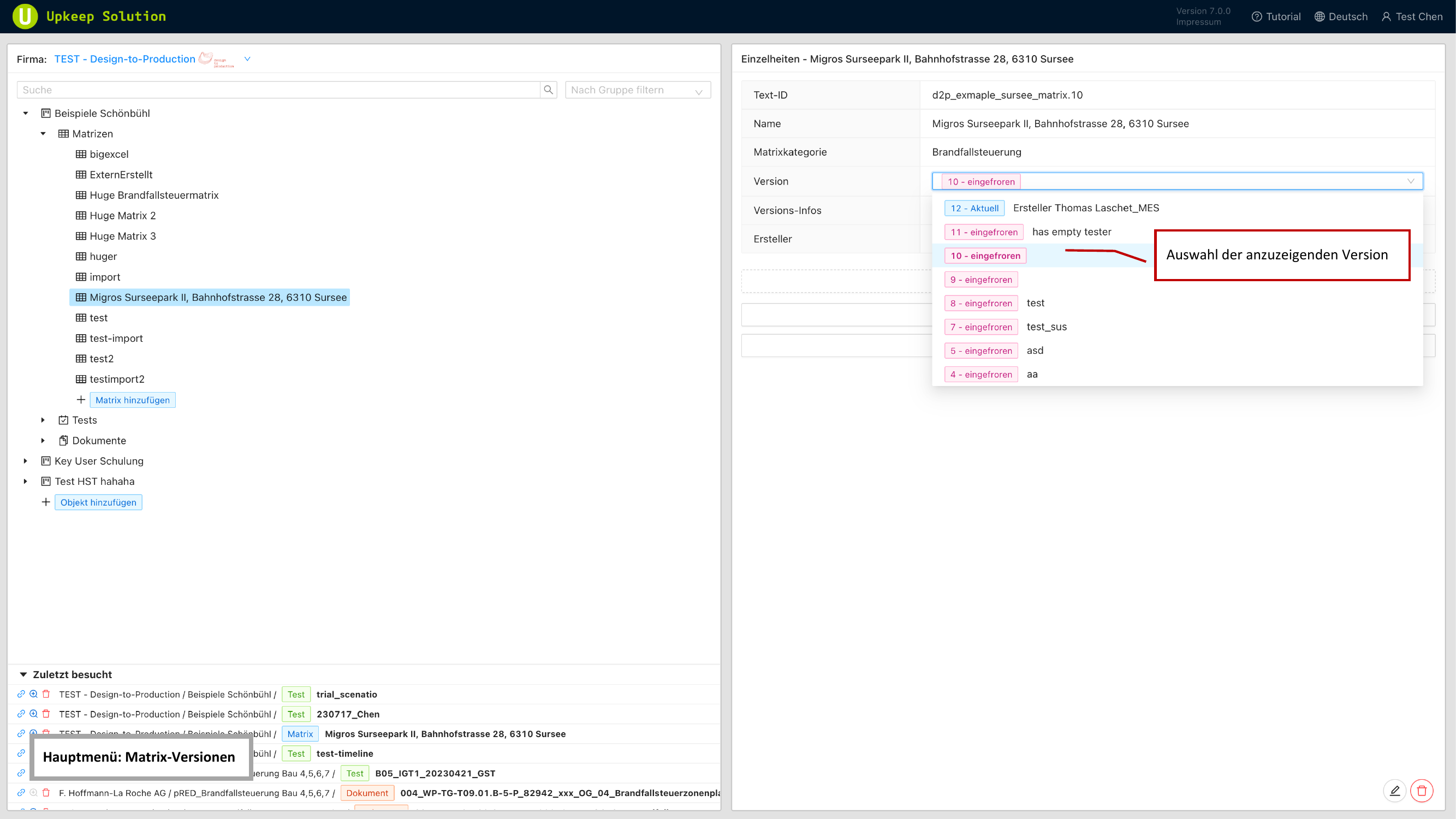
When you freeze a matrix, a snapshot of the current state is created. You can continue working while the frozen version is preserved as a reference.
For each version, you can add version notes to document the reason or context for the version.
Matrix Detail Panel
The following actions are available in the matrix detail panel:
- Öffnen (Open) — Open the matrix in the matrix view for editing
- Dokumente herunterladen (Download Documents) — Export the matrix as PDF or Excel
- Auftauen (Unfreeze) — Make a frozen version editable again
- Archivieren (Archive) — Archive a version that is no longer needed
- Löschen (Delete) — Permanently remove a matrix
Deleting a matrix is permanent and cannot be undone. Deleting requires at least the Projektleiter (Project Manager) role. Frozen versions can only be deleted by Firmenadministrator (Company Admin) or higher.