Documents
In Upkeep, there are two document types that serve different purposes:
- Freies Dokument (Free Document) — Any PDF document (e.g., reports, certificates, manuals) that can be viewed and downloaded. Multi-page PDFs are fully supported.
- Grundriss (Floor Plan) — A building plan in PDF format that is opened in the Plan Editor. There, matrices, zones, and elements can be placed on the plan. For floor plans, only the first page of the PDF is used.
The document type is set when uploading and cannot be changed afterwards. Choose the type carefully.
Document Management
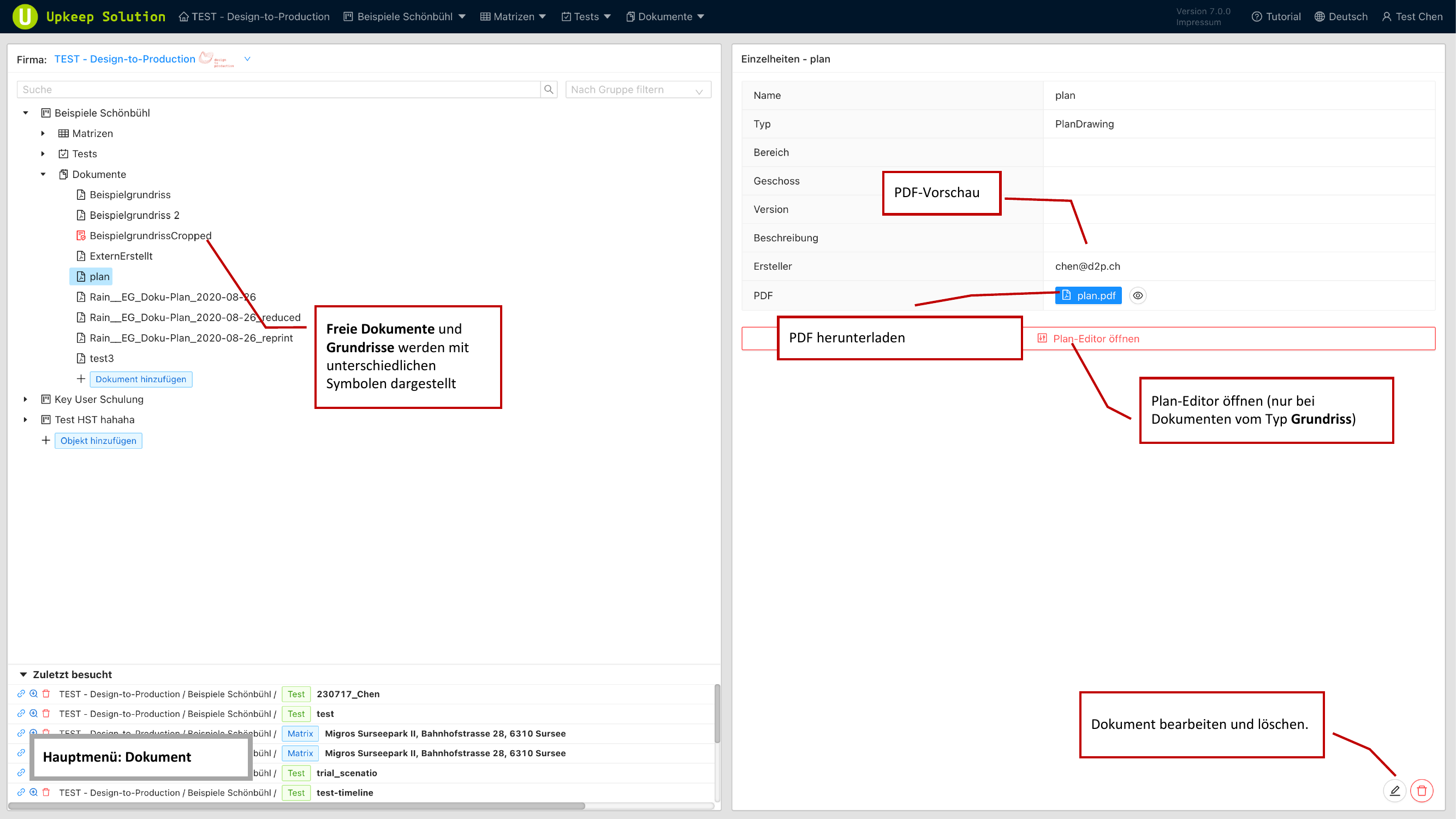
Document management is accessible via the main menu. On the left side, all documents for the property are displayed in a tree view. Different icons distinguish free documents from floor plans.
When you select a document, the following information is shown in the detail panel:
- Name — The display name of the document
- Typ (Type) — Free Document or Floor Plan
- Bereich (Department) — The assigned department
- Geschoss (Floor) — The assigned floor
- Version — The version number
- Beschreibung (Description) — An optional description
- Ersteller (Creator) — The user who uploaded the document
- PDF herunterladen (Download PDF) — Button for directly downloading the PDF file
Document Preview
The document preview opens the PDF directly in the browser. You can scroll through the document and zoom in or out.
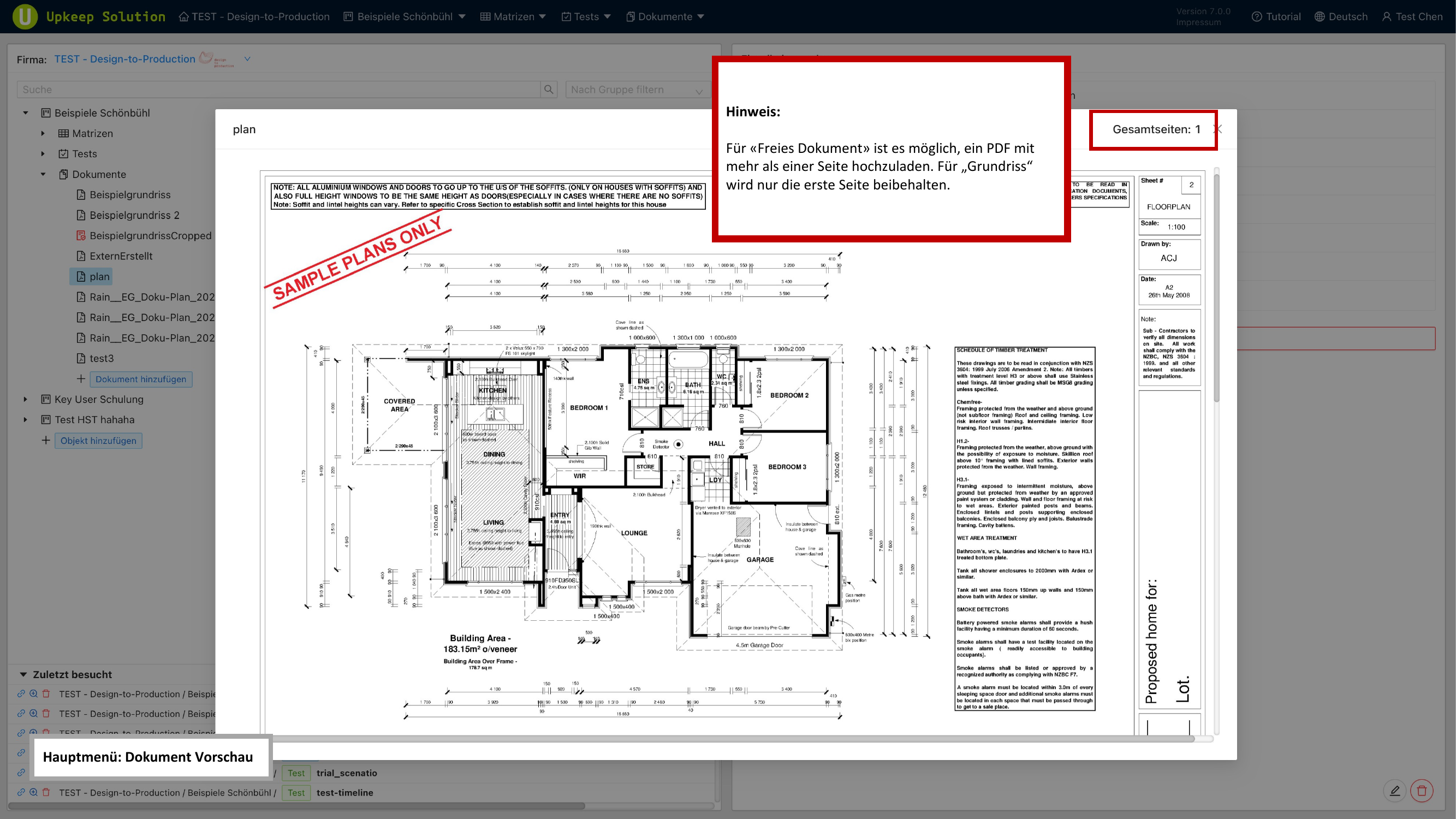
Free documents support multi-page PDFs — all pages are displayed in the preview. For floor plans, only the first page is retained, as it is used in the Plan Editor.
Editing a Document
The editing function allows you to modify the following properties of a document:
- Name — The display name
- Bereich (Department) — Assigns the document to a department, which allows elements on the plan to be filtered
- Geschoss (Floor) — Assigns the document to a floor, also relevant for filtering
- Version — The current version number of the document
- Beschreibung (Description) — An optional free text description
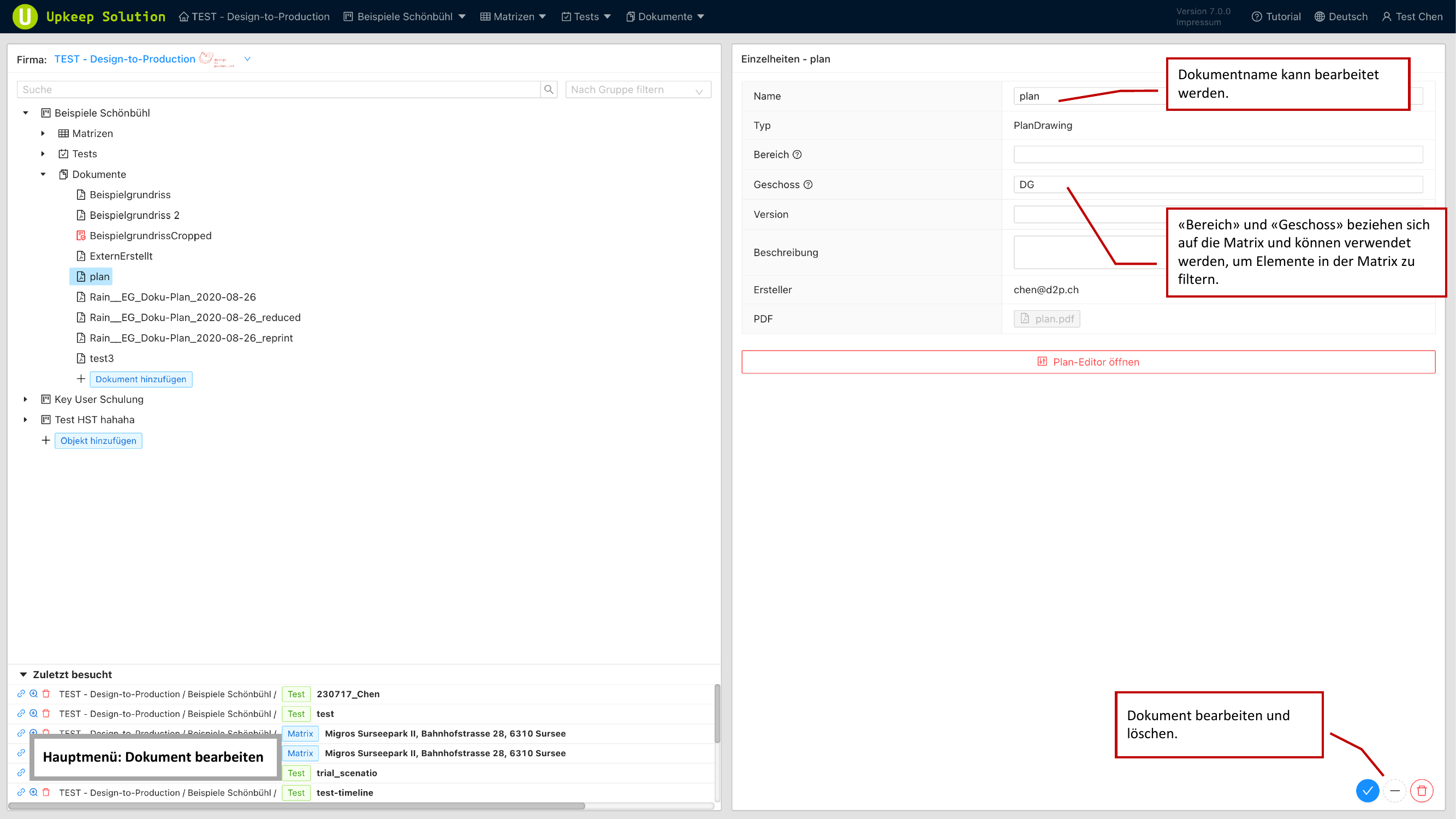
The Bereich (Department) and Geschoss (Floor) fields are directly related to the matrix. Elements placed on a floor plan with a specific department and floor can be filtered accordingly in the matrix.
Adding a Document
To upload a new document:
- Click the button to add a document
- Upload a PDF file
- Assign a name
- Select the type: Free Document or Floor Plan
- For a floor plan: optionally set the department and floor
- Confirm the upload
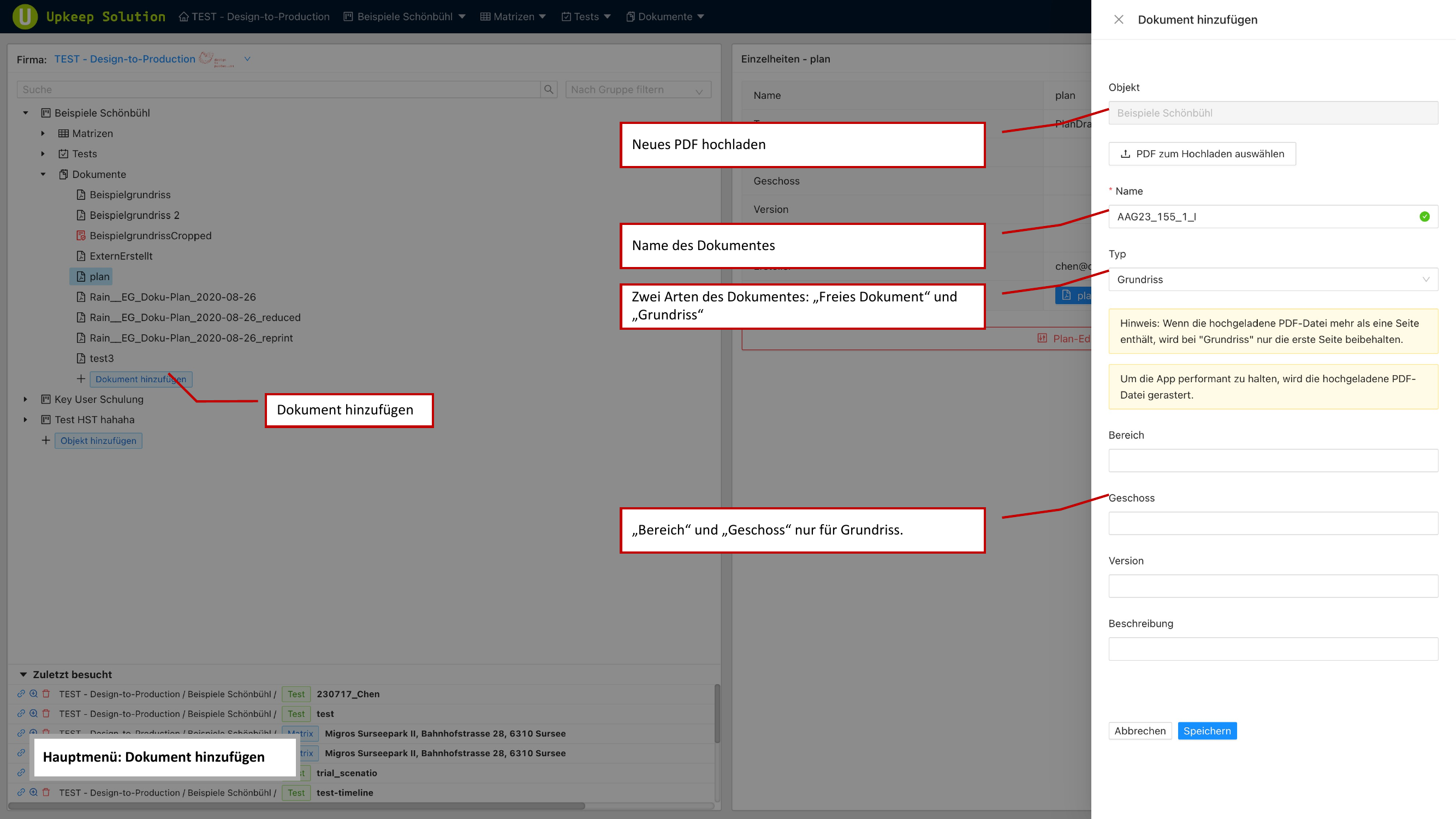
The Bereich (Department) and Geschoss (Floor) fields are only available for the Floor Plan type. Free documents do not require this assignment.
Downloading Multiple Documents
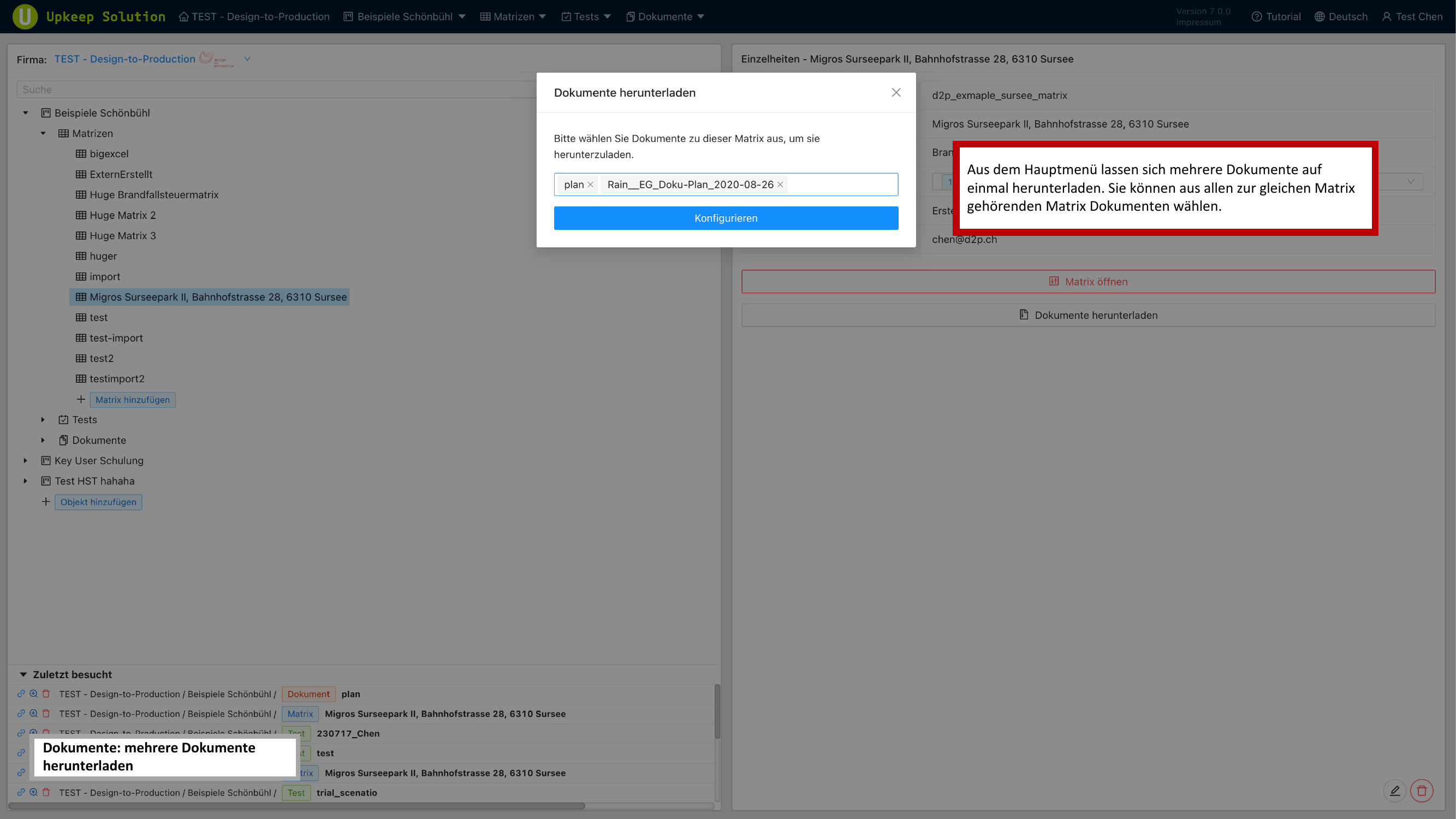
In the main menu, multiple matrix documents can be downloaded at once. This function is particularly useful for providing plans to project stakeholders.
- Select the desired matrix documents
- Configure the download options
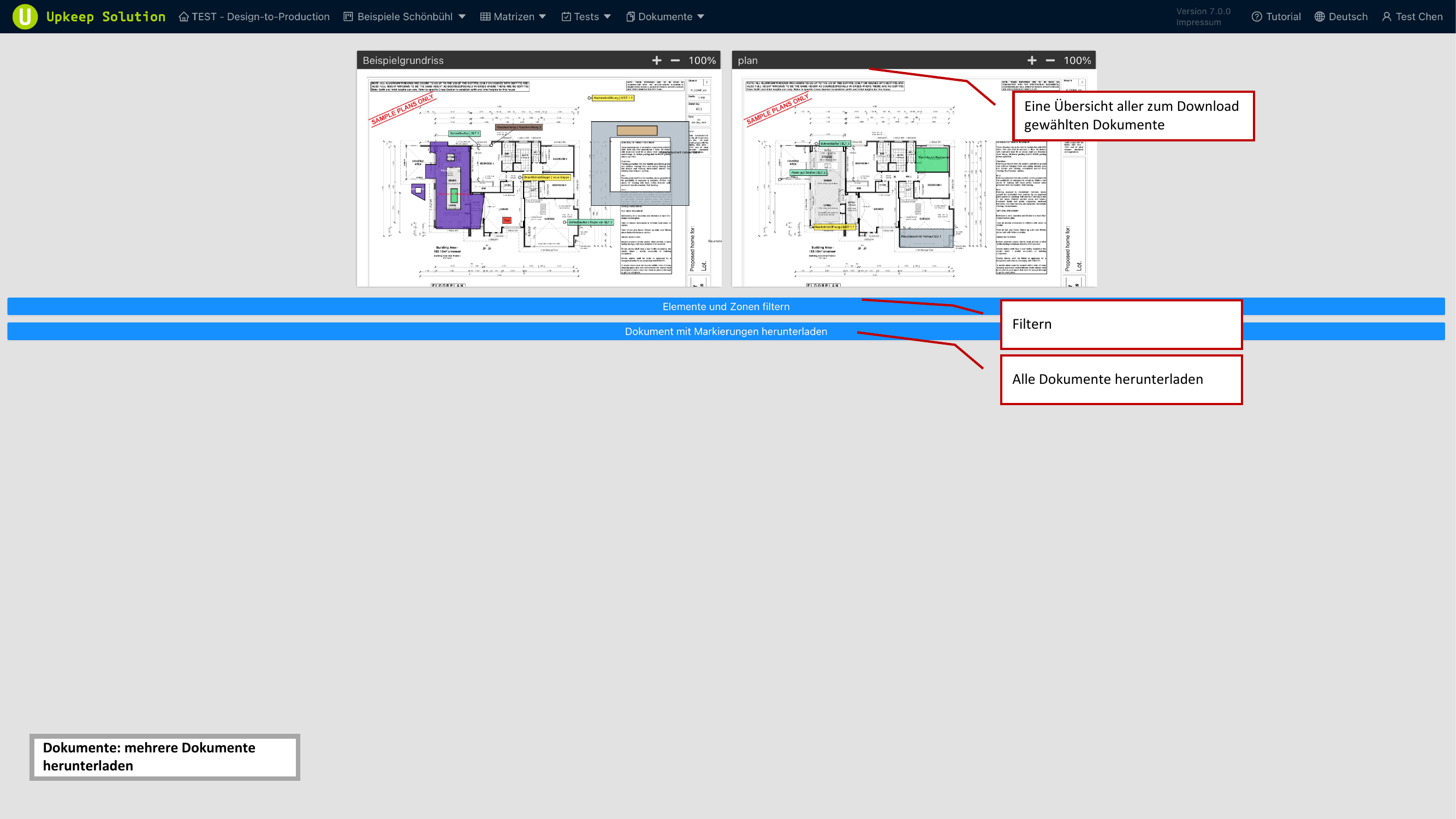
- Use the preview with thumbnail images to review the selection
- Filter the documents by various criteria if needed
- Start the download