Agenda
Main Page
After logging in, you arrive at the main page of the Mobile App. At the bottom of the screen you will find the navigation bar with the following tabs:
- Testaufträge (Test Orders) — Your assigned inspection tasks
- Drehbuch (Agenda) — The test schedule with phases and scenarios
- Teilnehmer (Participants) — Overview of all test participants
- Chat — Communication with the test participants
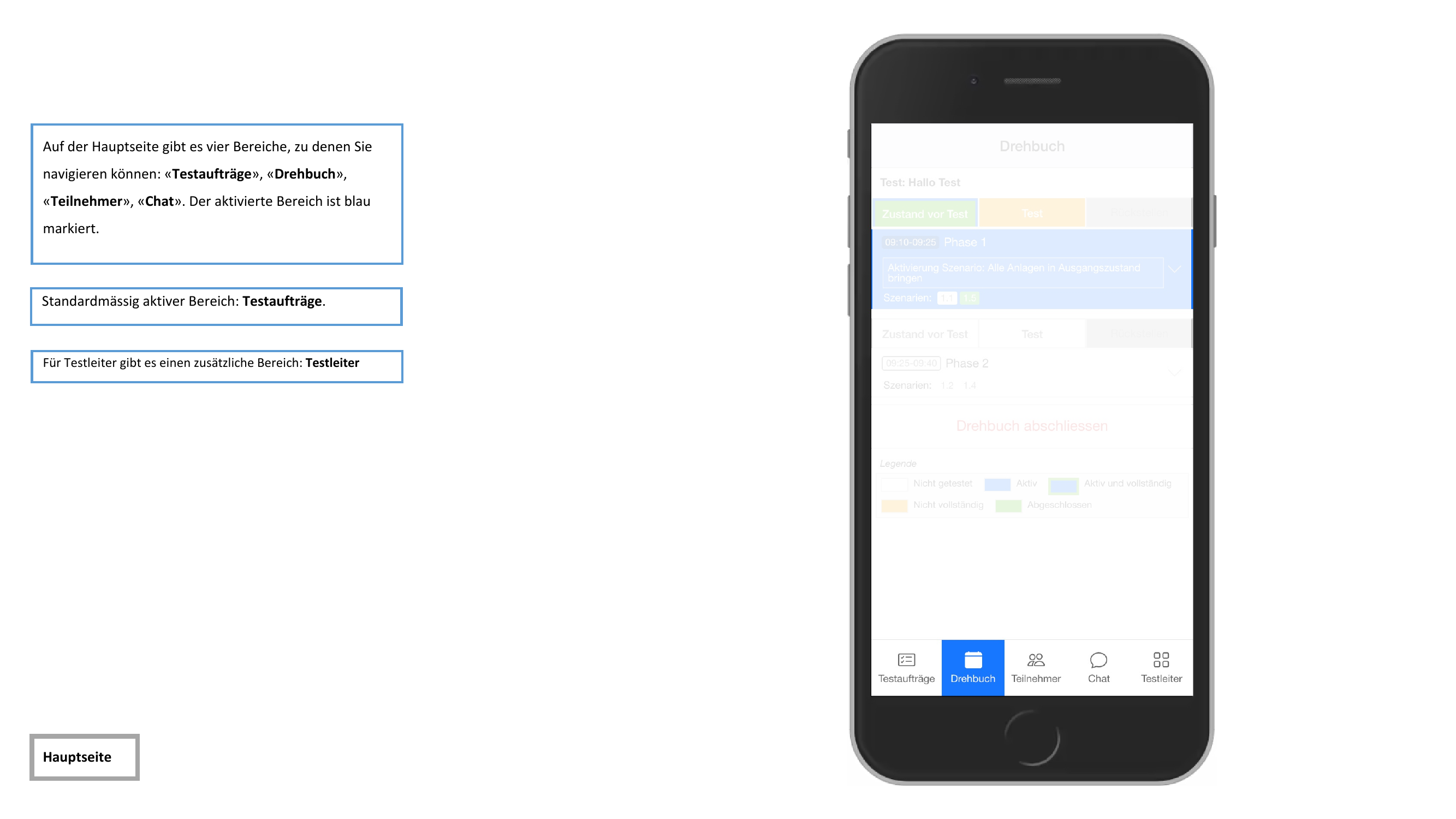
Test leaders see an additional Testleiter (Test Leader) tab with extended management functions.
Agenda View
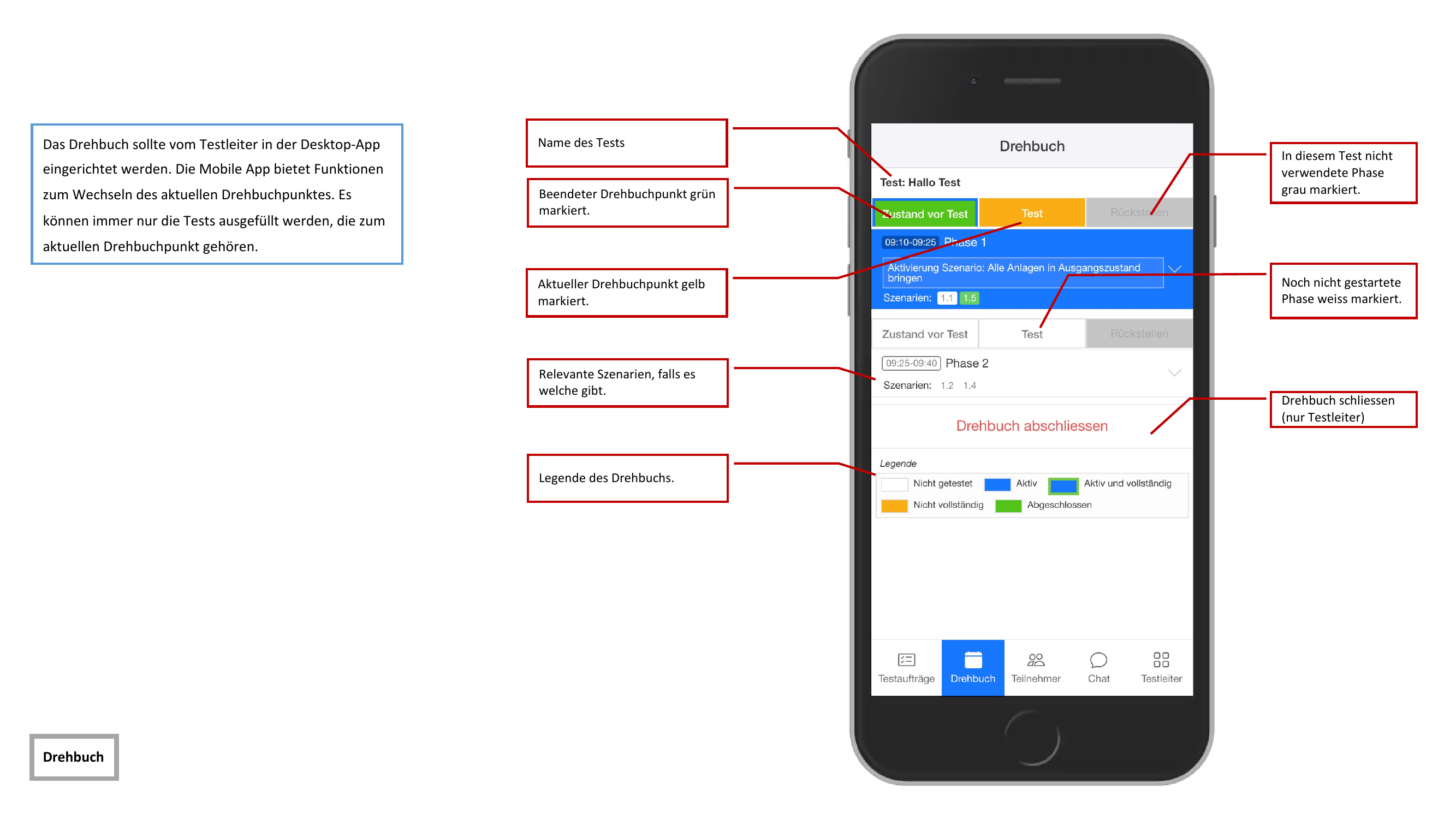
The agenda shows the planned test schedule. It is divided into phases with time ranges, each containing multiple scenarios.
Status Indicators
Each scenario is color-coded according to its current status:
| Color | Status |
|---|---|
| White | Not started — The scenario has not yet begun |
| Yellow | Active — The scenario is currently being executed |
| Yellow (with marker) | Active and complete — All inspections in the active scenario are finished |
| Red | Not complete — The scenario has ended, but not all inspections are finished |
| Green | Completed — The scenario is fully completed |
| Gray | Not used — The scenario is not used in this test |
Completing the Agenda
The Drehbuch abschliessen (Complete Agenda) button is only available to test leaders. It officially concludes the entire test schedule.
Automatic Updates
The Mobile App updates the agenda automatically in real time. When the test leader activates a new agenda item:
- All participants receive a notification
- The agenda is automatically brought up to date
- The active agenda item is highlighted
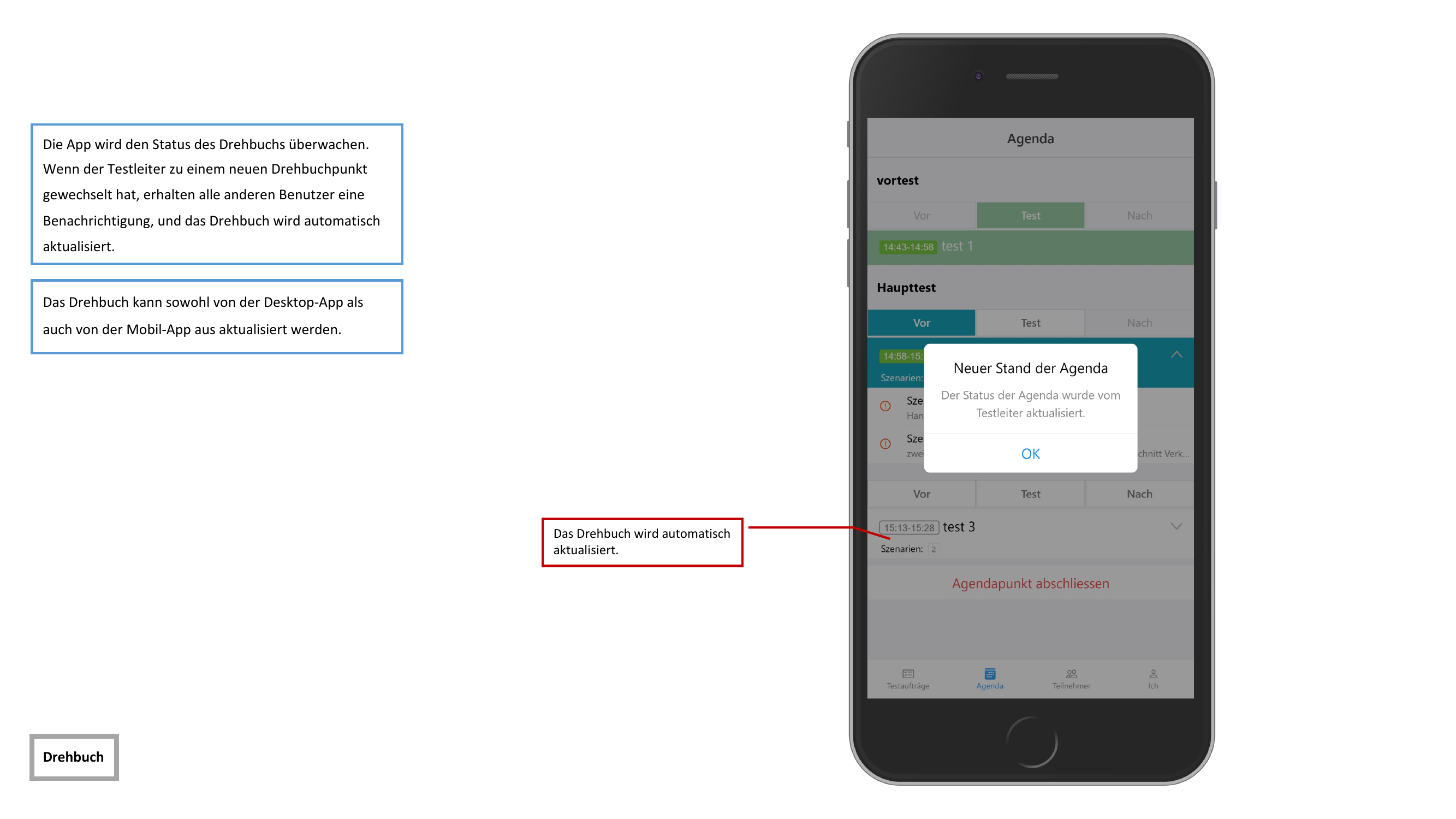
Updates can be made from both the Desktop App and the Mobile App. All changes are transmitted to all participants in real time.
The agenda should be created and prepared in the Desktop App. In the Mobile App, you can view the agenda and track progress, but you cannot make structural changes.