Component Photos
The Photos tab lets you document component conditions with photographs.
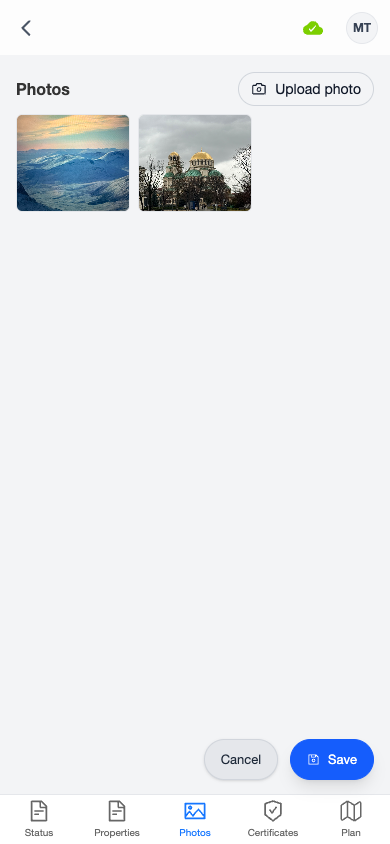
Viewing Photos
Photos are displayed in a 3-column thumbnail grid. Tap any photo to open the full-screen viewer.
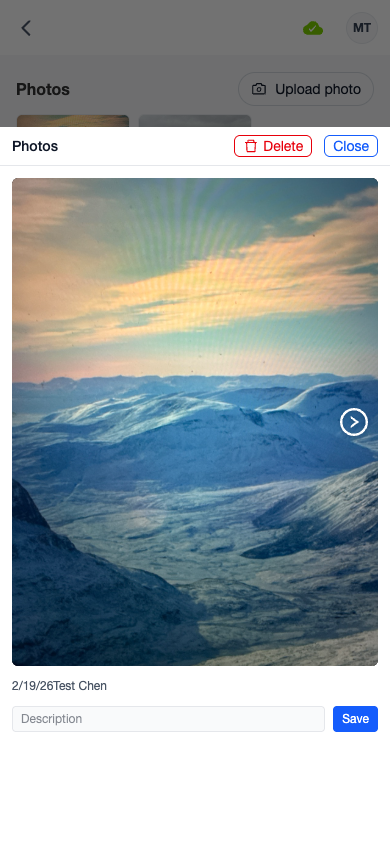
In the photo viewer, you can:
- Navigate between photos using the left/right arrows
- View metadata — the date and the name of the person who took the photo
- Add a description — type in the description field and tap Save
- Delete a photo — tap the delete icon and confirm
Uploading Photos
Tap the Upload photo button to add a new photo. An action sheet gives you two options:
- From Camera — opens your device camera (rear camera by default)
- From Album — opens your photo library to select an existing image
tip
Photos taken on iPhone in HEIC format are automatically converted to JPEG for compatibility. All photos are resized and compressed to optimize storage.
Saving
New photos and description changes are included when you tap the Save button.